Readers quit tutorials for boring reasons. A command fails. A prerequisite was implied instead of stated. A code sample proves a feature exists yet never helps anyone build something real. I think weak tutorials usually fail long before the final paragraph because the writer optimized for coverage instead of successful completion.
Short answer: I write technical tutorials around one concrete outcome, one clearly defined reader, and one verified path from blank project to working result. That means listing prerequisites precisely, showing code readers can actually run, cutting side quests, linking outward instead of duplicating reference material, and treating every confusing step as a product bug in the tutorial itself.
A tutorial is a guided build
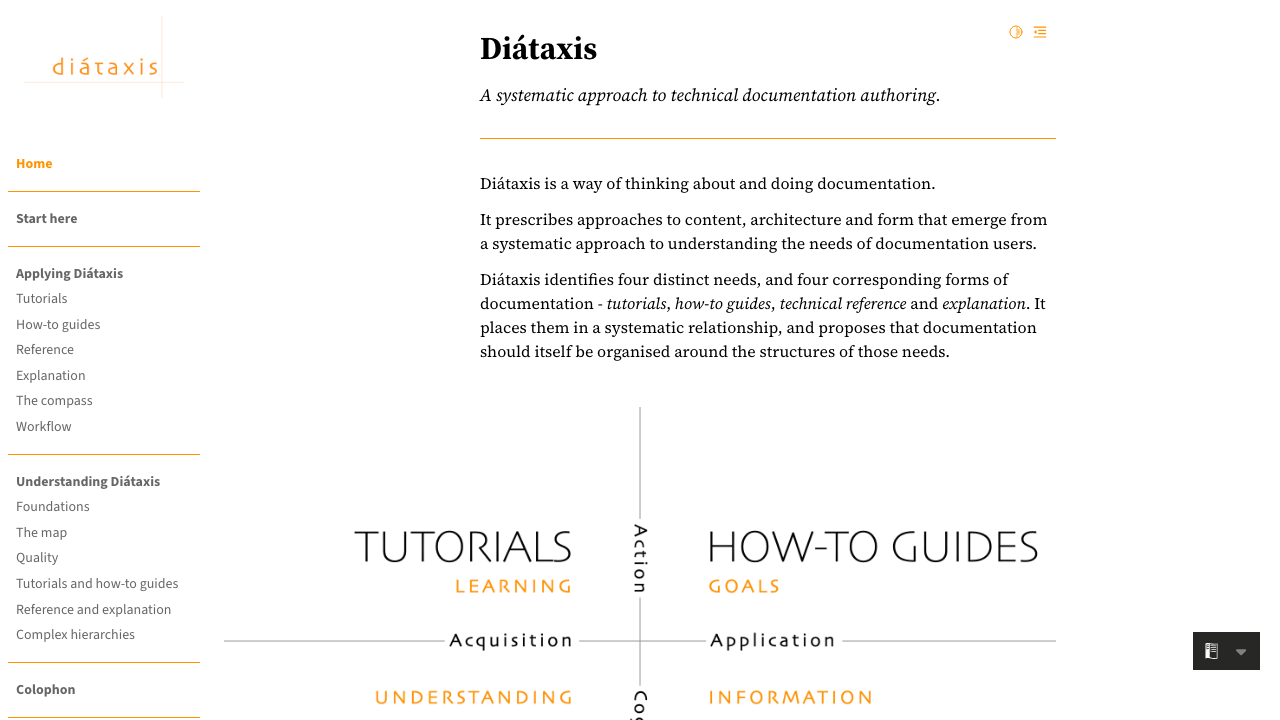
Diataxis separates documentation into tutorials, how-to guides, reference, and explanation because readers arrive with different needs and should not be forced through the wrong format. A tutorial exists for guided learning through action, while a reference exists for lookup and a how-to guide exists for solving a narrower task with less hand-holding. That distinction matters more than most teams admit because many so-called tutorials are really product tours with code blocks pasted into them. The Diataxis framework makes that separation explicit.
GitHub makes a similar point in its docs model. Their guidance says tutorials should help someone with basic product familiarity solve a real problem through a full workflow, include troubleshooting, and give readers concrete next steps after completion. GitHub also says products with tutorials should already have a quickstart, which is a useful constraint because it stops teams from using tutorials as the place where all first-time setup confusion goes to hide. I think that rule is right. A tutorial should build on existing confidence from a quickstart. See GitHub's tutorial content type guidance.
That distinction changed how I write. Early in my career, I wrote pieces that tried to teach the whole product surface in one pass. Readers reached the end with plenty of nouns in their head and very little muscle memory. My drafts improved once I started asking a simpler question: what working thing will the reader have on their machine ninety minutes from now?
Define the reader with enough precision to remove hidden assumptions
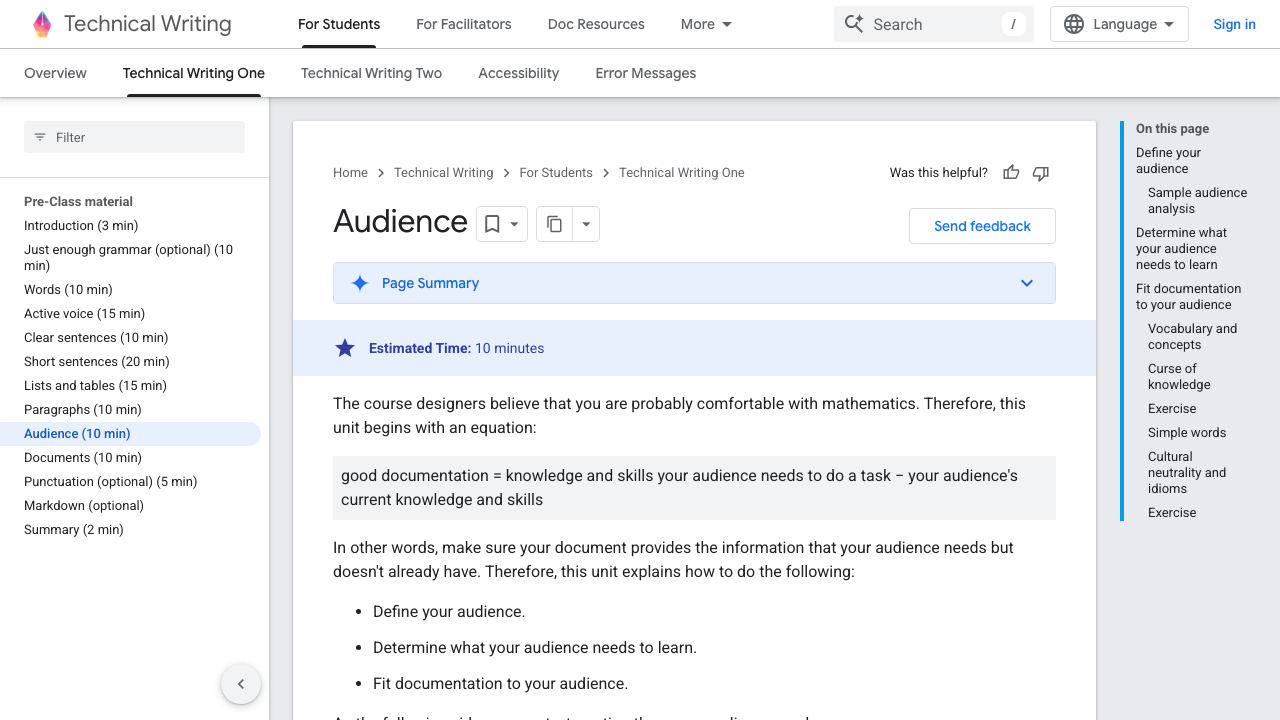
Google's technical writing course uses an equation I like because it forces discipline: good documentation equals the knowledge and skills the audience needs minus the knowledge and skills they already have. That framework sounds obvious until you try to list what your reader already knows. Google's audience guidance also calls out the curse of knowledge, which is the root cause behind half the tutorial failures I see.
My process starts with a brutally specific reader profile:
- Current skill level: "comfortable with TypeScript, new to Workers KV"
- Starting environment: "macOS or Linux, Node.js already installed"
- Goal state: "deploy a basic API that persists comments"
- Things I will not explain: "how HTTP works, what JSON is, how to install Git"
That list shapes every paragraph that follows. Google says audience definition should account for role, proximity to the subject, and what the audience still needs to learn. I use the same frame because it gives me permission to leave some things out. Tutorials get bloated when the writer fears excluding anyone. Exclusion is exactly what keeps the learning path usable.
Readers usually forgive depth they can skip. Readers rarely forgive missing setup assumptions they had no way to infer.
Choose one end state and make it visible early
GitHub's tutorial guidance recommends stating what someone will build and showing an example of a successful result. That advice sounds small. I think it is load-bearing.
A tutorial without a visible end state feels like unpaid labor. Readers keep executing steps without knowing whether the payoff matches their use case. Twilio's SMS quickstart works because the goal is concrete from the first section: send and receive text messages with a specific product path. Cloudflare's Workers tutorials index does the same thing at catalog level by naming the artifact, the difficulty, and the freshness of each tutorial.
Whenever I draft a tutorial, I make the outcome visible in the opening:
- what gets built
- what stack it uses
- what the reader should already know
- what the finished result looks like
That opening does two jobs. Search engines can understand the page faster, and a human can decide whether to commit the next half hour. I covered a similar DX problem in How to Write a Changelog That Developers Actually Read: engineers keep reading when the page tells them quickly whether the next section is worth their time.
Prerequisites should reduce failure, not satisfy a template
Weak tutorials list prerequisites like corporate boilerplate:
- basic familiarity with programming
- some knowledge of APIs
- an account
Those bullets help nobody. GitHub explicitly says the introduction should clarify audience, prerequisites, and prior knowledge. Twilio's quickstart goes further and lists the runtime, local tooling, SDK dependency, and account setup in a way that maps cleanly to the work ahead. That level of specificity saves support time because the reader can self-select out before step three.
I now write prerequisites in two layers:
- Conceptual prerequisites
- Machine prerequisites
Conceptual prerequisites describe what the reader must already understand. Machine prerequisites describe exactly what must already exist on the reader's system. That second layer should include versions when they matter, credentials when they matter, and region or plan constraints when they matter.
GitLab's docs workflow argues that documentation quality improves when engineers think early about the examples a user will want and verify them alongside the feature. I have seen that firsthand. Tutorial breakage usually traces back to an example that nobody reran after the product changed. GitLab's documentation workflow treats docs as part of the definition of done for user-facing changes. More teams should copy that.
My take is blunt: a missing prerequisite is a failed test case.
Use code examples that survive copy-paste
MDN's code example guidance contains the sentence every tutorial writer should tape above the monitor: readers will copy and paste examples into their own code and may put them into production. MDN then draws the obvious consequence. Examples should be usable, follow accepted best practices, and avoid insecure or bloated patterns. Read the full guidance at MDN's code example guide.
That rule changes the standard for tutorial code. A code block in a tutorial is software someone will try under deadline pressure.
My code example checklist is simple:
- Every snippet must run as shown or be clearly labeled as partial.
- Variable names must match the surrounding prose.
- Secrets and credentials must use secure patterns from the start.
- Supporting files must exist in the repo or article when required.
- Output screenshots or sample responses must reflect the current product.
Twilio does one thing here that I respect: it allows faster setup, then immediately warns readers not to keep credentials hardcoded in production and shows the environment variable pattern. That sequence respects the tutorial's teaching goal without pretending shortcuts are safe forever. Plenty of tutorials hide production tradeoffs until the end, which is late enough to teach the wrong habit.
I have shipped tutorials where I only noticed a broken step during the final clean-room test on a laptop with none of my usual tooling installed. Those sessions are humbling. They are also where the tutorial becomes real.
Heading structure carries more teaching weight than people think
Google's style guide says task-based headings should start with a bare infinitive such as "Create an instance" rather than an "-ing" form such as "Creating an instance." Microsoft says procedural headings should concisely describe what the instructions help customers do. Both guides are pushing toward the same outcome: headings that expose action clearly and make scanning reliable. See Google's headings guidance and Microsoft's step-by-step instruction guidance.
I agree with both, partly for pedagogy and partly for SEO. Headings in strong tutorials carry a second interface for the page:
- search engines extract them
- answer engines quote them
- readers skim them before committing
- frustrated readers jump between them when a step breaks
Heading quality often tells me whether a tutorial will teach well before I read the body. Vague headings usually mean vague sequencing.
Teaching requires sequencing pressure, not encyclopedic completeness
Microsoft recommends one action per step, numbered procedures for multi-step flows, and splitting long procedures into manageable groups. GitHub says tutorials should link outward rather than replicate reference material if duplication interrupts flow. Those guidelines point to a non-obvious truth: good tutorial pacing depends on what the writer refuses to include.
I cut aggressively in tutorial drafts. Reference material goes to docs links. Deep conceptual explanation goes to a dedicated section or another post. Optional branches get labeled as optional or removed outright. Readers who are trying to finish a build rarely need a detour into system architecture during step six.
That does not mean tutorials should be shallow. Depth belongs in the choice of workflow, the reasoning behind key decisions, and the troubleshooting that anticipates where readers get stuck. GitHub recommends a troubleshooting section for tutorials, and I think teams underinvest there because troubleshooting feels less glamorous than the happy path. Yet the troubleshooting section often contains the highest teaching value on the page.
My favorite non-obvious sign of a mature tutorial is a short section that says, in plain language, "if you hit this symptom, here is what likely went wrong." That shows the author has watched someone actually use the tutorial.
Verify the workflow on a clean machine or the tutorial is unfinished
GitLab requires review, technical validation, and even style tooling like Vale for AI-generated docs. That workflow matters because the easiest way to publish a tutorial is to trust the author's memory of the environment. Memory is terrible at documentation.
I do a clean run before I publish:
- Start with a fresh directory
- Follow the tutorial exactly as written
- Copy commands without fixing them mentally
- Record every point where I had to infer something
- Fix the article before fixing the code locally
That pass catches three recurring tutorial bugs:
- commands that rely on a globally installed dependency never mentioned in prerequisites
- filenames that changed during revision but not in prose
- outputs that differ slightly from the current product and make readers doubt the whole workflow
Writers often think the draft is finished once the prose reads well. My experience says the draft becomes trustworthy only after the verification pass produces no surprises. If you need someone to write this kind of piece for your team, my work page shows the kind of technical depth I aim for across developer content.
Good tutorials leave readers with transferable judgment
A reader should finish a tutorial with more than a deployed demo. They should also understand a few decisions well enough to adapt the pattern later.
That is where many tutorials miss the last mile. They lead the reader through commands and never explain why one path was chosen over another. GitHub's model for tutorials includes next steps and best-practice discussion for exactly this reason. A tutorial that only yields replication creates dependency on the writer. A tutorial that adds a small amount of judgment creates independence.
I try to leave readers with three forms of transfer:
- what they built
- why the workflow was arranged that way
- what they should change first for their own environment
That last part matters for developer audiences. Engineers do not really want a shrine to the happy path. They want a reliable starting point they can bend without breaking.
FAQ
How long should a technical tutorial be?
Length should be set by the workflow instead of an arbitrary word target. A tutorial that gets a reader from zero to a working result in 900 words is better than a 3,000-word sprawl full of side trips. My own bias is toward shorter tutorials with cleaner scope and stronger outward links to reference material.
Should tutorials include full code listings or only key snippets?
Full listings belong in tutorials when omission would make copy-paste fragile. Partial snippets work when the surrounding file is obvious and unchanged. MDN's guidance on runnable examples is the standard I use: if the reader needs more context to run the sample, I either provide it or label the snippet as partial.
Where should troubleshooting go in a tutorial?
Near the end for most pieces, with inline callouts only where a failure is common enough to block progress. Readers should not have to bounce to a separate doc for the top two failure modes of the main workflow. GitHub is right to treat troubleshooting as a core tutorial section rather than optional garnish.
Should a tutorial explain every concept it touches?
No. Tutorials teach through guided execution. Reference pages and explanation pages exist for a reason. Diataxis is useful here because it gives you permission to stop a tutorial from becoming a second-rate encyclopedia.
What is the fastest way to improve a weak tutorial already getting traffic?
Run it from scratch on a clean machine and log every point of friction. That one pass usually tells you more than a week of abstract editorial debate. Missing prerequisites, stale code, and heading vagueness show up quickly when someone tries to finish the task for real.