The pull request is ready for review, and the comments are all about headings, wording, and screenshot placement. Nobody has copied the command from the rendered page or checked whether the new permission exists in production.
Then the page ships with a clean title and a broken path. The checklist separates product behavior, the reader’s route, and the rendered page.
Confirm the page has a clear job
Before getting into individual sentences, check whether the page should exist in this form at all. A precise duplicate is still a duplicate.
Name the reader and the task
Write down who the page is for and what they should be able to do after reading it. If two reviewers give different answers, the title and introduction need work.
Check that the page begins at the reader’s real starting point. An administrator configuring single sign-on and a developer calling the authentication API should not be pushed through the same assumptions.
Check for overlap
Search the site for the primary task, product name, error text, and likely synonyms. Decide whether the draft replaces, updates, or links to an existing page.
When two pages satisfy the same intent, consolidate the useful material and redirect the weaker URL. Publishing another answer because the first is inconvenient to edit creates a maintenance problem.
Verify the content type
A tutorial guides a complete learning path, and a how-to page solves a known task. Reference records exact behavior, and explanation makes a concept or decision understandable.
If the draft keeps switching modes, split the secondary material or link to it. The technical tutorial guide covers the difference in more detail.
Review technical accuracy
I’d do the subject-matter pass before polishing sentences. There’s no point refining a paragraph that describes an obsolete API.
Test the documented behavior
Verify the page against the current product. Check names, defaults, permissions, supported versions, error behavior, and any state the user cannot easily reverse.
For a UI procedure, follow the exact labels and path in the released interface. For an API or CLI page, run the request or command with the documented inputs.
Challenge hidden assumptions
Look for access, software, data, and configuration the author already had. These are common omissions:
- Required account tier or role
- Runtime and package versions
- Environment variables and secrets
- Billing or region restrictions
- Existing resources or sample data
- Feature flags and rollout state
- Operating system or shell differences
Move a prerequisite before the first step that depends on it. If obtaining access can take time, say so near the start.
Check risk and recovery
Mark steps that delete data, rotate credentials, change production traffic, create billable resources, or prevent rollback. Add a warning before the action and explain the safer test path where one exists.
Troubleshooting should identify a symptom, diagnostic check, likely cause, and recovery. “Try again” is not recovery guidance.
Run every procedure and example
Code can look perfectly reasonable and still fail as soon as someone copies it. Run it from the rendered page in the same environment you promised the reader.
Start clean
Use a fresh project, container, virtual machine, or test account. Existing credentials, cached packages, and globally installed tools can hide missing steps.
Record the versions used during the test. Version-sensitive pages should expose that information in the document or its maintenance metadata.
Check the complete path
For each procedure, confirm:
- Steps begin from the documented starting state.
- Commands work in the named shell.
- File paths and working directories are explicit.
- Sample values are safe to copy.
- Responses and screenshots match the current product.
- Each stage has an observable success check.
- Cleanup removes test data, credentials, and billable resources.
One successful final screenshot is not enough. A reader needs to know whether step three worked before attempting step four.
Test the failure path
Trigger the error the page claims to solve. Confirm the message, status code, exit code, and recovery step.
If the product fails differently across versions or environments, document the boundary. A “Common issues” section still needs symptoms that help the reader choose the right recovery path.
Review structure and readability
Once the technical path works, read the page like someone deciding whether to follow it. The title, opening, headings, lists, code, and visuals should make the route visible before every paragraph is read.
Scan headings on their own
Hide the paragraphs and read only the heading outline. It should describe the task or argument without a sequence of labels such as Overview, Setup, Configuration, Usage, and Conclusion.
Google’s heading guidance recommends descriptive, sentence-case headings, task verbs for procedures, noun phrases for concepts, and a logical H1–H3 hierarchy. Heading levels describe structure, and CSS handles appearance.
Check paragraph and sentence load
Give each paragraph one job and keep it to no more than two sentences on this site. Split setup, consequence, and exception when they compete inside the same block.
Short does not mean choppy. Vary sentence length, use specific transitions, and remove throat-clearing phrases that repeat the heading.
Use lists and tables deliberately
Use a numbered list when order matters and bullets when it does not. A table earns its space when readers need to compare the same fields across several options.
Introduce a dense list or table so the reader knows what to look for. Avoid turning every group of three ideas into a card, callout, or checklist.
Inspect links, visuals, and accessibility
A page is more than its prose. Links, screenshots, headings, code formatting, and landmarks determine whether people can navigate and use it.
Check every link in context
Open internal and external links from the rendered page. Confirm that anchors reach the intended section, redirects are intentional, and link text describes the destination without relying on “here.”
Add links where a reader needs prerequisite knowledge, reference detail, or a next step. Remove links that interrupt the task without helping it.
Make every visual prove something
A screenshot should help a reader find a control, recognize a state, compare behavior, or verify a result. Crop irrelevant interface chrome and keep enough surrounding context to show where the state belongs.
Write alt text for the information conveyed by the image, then add a caption that explains what to notice. Those two pieces should not repeat each other word for word.
Preserve semantic structure
W3C’s page structure tutorial explains how headings and landmarks help screen-reader, keyboard, mobile, and search users navigate. Use one descriptive H1, nest headings logically, label navigation regions, and retain visible focus states.
Check color contrast, keyboard access, table headers, code overflow, zoom, and meaningful alt text. Accessibility cannot be recovered with an automated score alone.
Review the rendered page
The Markdown can look tidy even when the published page is a mess. Long headings wrap, tables overflow, code loses characters, images dominate the screen, and generated anchors collide.
Use a preview build
Open the exact output that will be deployed and review it at desktop and narrow viewport widths. Follow the table of contents, copy code, open images, and test the previous and next routes.
GitLab can create documentation review apps for merge requests, which lets reviewers inspect the rendered change before it reaches the main site. The broader GitLab documentation workflow includes technical, writing, and maintainer review around the product change.
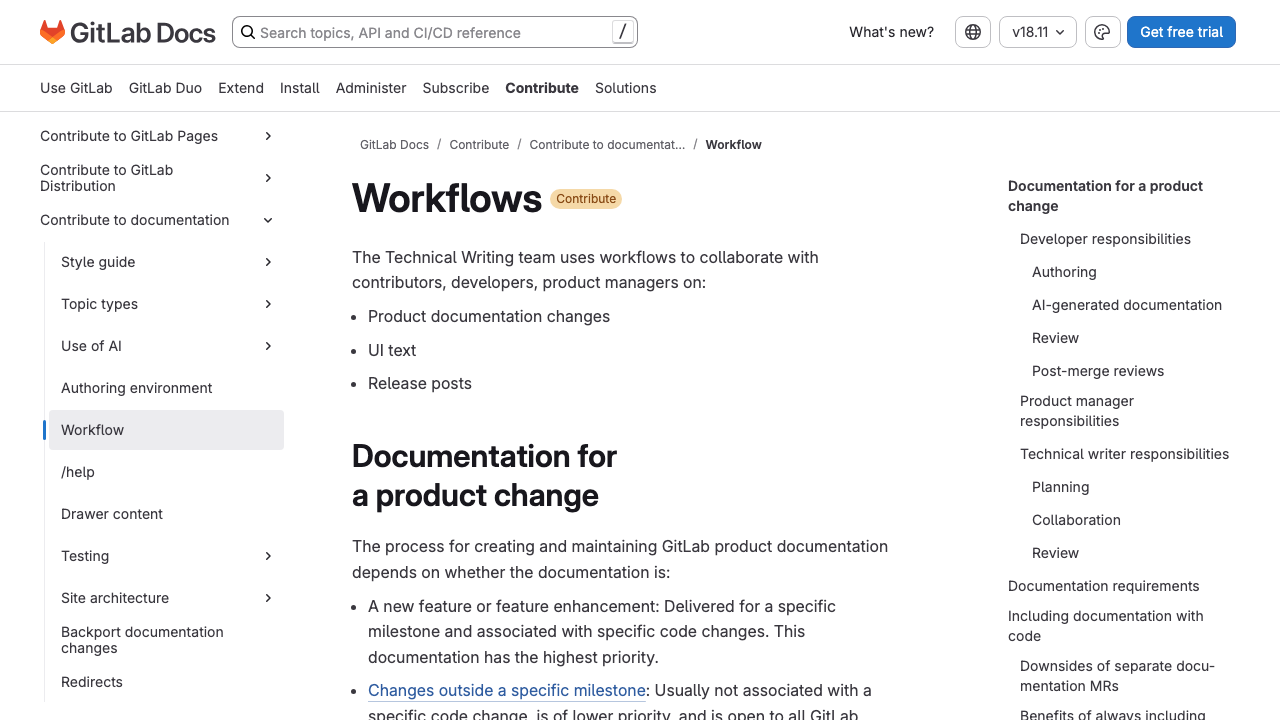
GitLab places review inside the product workflow and splits responsibility across developers, maintainers, product managers, and technical writers. One writer is not expected to verify everything at the end.
Check the complete page frame
Inspect more than the article body:
- Title, description, canonical URL, and publication date
- Breadcrumbs and local navigation
- Table of contents and heading anchors
- Header and footer collisions
- Related links and article cards
- Structured data and social preview
- Cookie, banner, and feedback overlays
A component can work on most pages and still fail on the longest title or widest code sample. Include the awkward page in the review set.
Check search and retrieval signals
SEO review should make the page easier to identify, not stuff it with alternate phrases. Match the title, description, H1, introduction, and URL to one clear reader intent.
Confirm the canonical answer
Make sure the page has a self-referencing canonical and is allowed to be indexed. Update or redirect older pages that compete for the same question.
Link to the new page from its section parent and relevant sibling articles. A page that exists only in the sitemap is technically published but practically orphaned.
Use concrete language
Name product fields, commands, error messages, file formats, versions, and outcomes precisely. These details help humans scan and give search and retrieval systems better evidence about when the page answers a question.
An FAQ earns its place when adjacent questions need short answers but do not deserve separate pages. Repeating the article with question marks adds nothing.
Align the page with the release
Documentation can pass every editorial check and still ship at the wrong time. Confirm which version contains the behavior and whether the page should appear before, with, or after the release.
Match product state
Check feature flags, preview labels, availability, plans, regions, and supported versions. A page about unreleased behavior needs explicit status and should not displace the current answer in search.
For breaking changes, connect the task page to the changelog and release notes. The compatibility statement must agree everywhere.
Assign maintenance ownership
Record the team or person responsible for the page and the events that should trigger review. Product changes, dependency releases, UI renames, policy changes, and repeated support questions are stronger triggers than a decorative “review annually” note.
Assign ownership for the next update before publication. Accuracy continues after the release.
Split approval by responsibility
One reviewer should not pretend to verify everything. Assign the checks to people who can make the relevant claim.
| Reviewer | Owns |
|---|---|
| Engineer or subject-matter expert | Product behavior, code, versions, risk, and recovery |
| Technical writer or editor | Reader fit, structure, terminology, clarity, and links |
| Accessibility reviewer or trained contributor | Semantics, keyboard use, visuals, contrast, and alternatives |
| Product or release owner | Scope, availability, timing, migration, and support status |
| Maintainer | Build, metadata, navigation, redirects, and deployment readiness |
Small teams can combine roles while keeping the questions separate. The request example still needs an engineer to execute it and an editor to check the reader’s route.
Worked example: review an API authentication guide
Suppose a draft begins with this instruction:
Generate an API key in Settings, add it to your request, and run the example below. The API returns your account.
The prose is short and grammatical. It is also missing the permission, navigation path, header format, base URL, safe secret handling, expected response, failure behavior, and key-revocation step.
Pass one: verify the product
The technical reviewer follows the current interface and discovers that only workspace owners can create keys. The control moved from Settings to Developer settings, and new keys are shown only once.
Those facts change the procedure:
- Sign in as a workspace owner.
- Go to Developer settings → API keys.
- Select Create key.
- Enter a name and choose the required scopes.
- Copy the key before closing the dialog.
The reviewer also checks that the API accepts Authorization: Bearer; the older draft used X-API-Key. Treat that as a blocking accuracy problem.
Pass two: run the reader path
The reviewer starts in a clean shell and copies the rendered example:
export ORBIT_API_KEY="replace-with-your-test-key"

curl --fail-with-body \
  --request GET \
  --url "https://api.orbit.example/v1/account" \
  --header "Authorization: Bearer $ORBIT_API_KEY"
The draft had placed the raw key directly in shell history. The revised example uses an environment variable and points readers to the production secret-management guidance.
The successful response needs enough detail to verify:
{
  "id": "acct_01J2M7X8Q4",
  "name": "Docs sandbox",
  "mode": "test"
}
The guide should tell the reader to confirm that mode is test. Receiving any JSON object is not proof that the correct workspace or environment is active.
Pass three: add the failure path
Remove one character from the key and run the request again. The current API returns:
HTTP/2 401
content-type: application/json

{
  "error": {
    "code": "invalid_api_key",
    "message": "The API key is invalid or has been revoked."
  }
}
Now the troubleshooting note can distinguish an invalid key from a valid key missing the required scope, which returns 403 insufficient_scope. Without reproducing both states, the guide might tell every reader to regenerate credentials.
Pass four: edit the page as a route
The editorial reviewer changes a topic outline such as Setup, Usage, Errors, and Security into task headings:
- Create a test API key
- Send an authenticated request
- Fix an invalid or under-scoped key
- Store the key outside source control
- Revoke the test key
The opening now states the audience, permission, and result. A warning appears before the key is created, and the cleanup step appears before the page sends the reader elsewhere.
Pass five: inspect the publication frame
The rendered review catches three issues that were invisible in the source:
- The wide JSON response overflows on a phone.
- The Developer settings anchor points to the old Setup heading.
- The code-copy button includes the shell prompt, causing the pasted command to fail.
The canonical still points to an older authentication page, which would tell search engines that the old answer is preferred. The reviewer fixes the canonical, redirects the duplicate page, and adds a link from the API section landing page.
Classify comments by severity
Not every review comment should block publication. Use a shared severity model:
| Severity | Meaning | Example |
|---|---|---|
| Blocker | Could cause failure, loss, exposure, or an unusable task | Wrong authentication header |
| Major | A substantial group cannot complete or understand the task | Owner permission is omitted |
| Minor | The task works but the page is less clear or consistent | Heading does not match local style |
| Follow-up | Valuable improvement outside the release scope | Add examples for another SDK |
Severity keeps a launch decision from becoming a contest between strongly worded comments. A comma and an unsafe command no longer carry equal weight.
Automate the mechanical checks
Human reviewers should spend their attention on product truth, reader decisions, and risk. Machines are better at repeatable checks with deterministic answers.
Good candidates for automation
Run these checks in continuous integration:
- Markdown and frontmatter syntax
- Internal link and anchor resolution
- Duplicate titles, slugs, and heading IDs
- Missing alt attributes
- Heading-level jumps
- Forbidden or deprecated product terms
- Code formatting and selected executable examples
- Build success and broken templates
- Canonical, sitemap, and robots rules
- Redirect loops and chains
Some external link checks need retries and allowlists because websites block automated requests. A third-party marketing page that occasionally returns 403 should not make the whole documentation build unreliable.
Keep judgment out of brittle rules
A linter can flag passive voice, long sentences, or first-person pronouns. Treat those subjective style patterns as prompts for review.
Hard gates should protect rules with unambiguous value, such as valid Markdown and working internal links. An earlier version of this site forced a minimum number of first-person references, and sentences started serving the counter instead of the article.
Report failures where authors can act
Name the file, line, rule, and repair in every automated failure. “Documentation quality failed” sends the author hunting through logs and makes the tool feel arbitrary.
When possible, show a local command that reproduces the failure. Authors fix checks faster when the local and continuous-integration behavior match.
Documentation review checklist
Purpose and scope
- The reader and intended outcome are explicit.
- The page has one primary intent and no competing duplicate.
- The content type matches the reader’s need.
- Prerequisites and non-goals are clear.
Technical verification
- Product names, UI labels, defaults, and permissions are current.
- Commands and code run in the documented environment.
- Expected output and success checks are accurate.
- Risky actions include warnings, recovery, and rollback limits.
- Errors and troubleshooting steps have been reproduced.
Editorial quality
- The opening gives the reader a useful starting point.
- H2 and H3 headings describe the route and follow a logical hierarchy.
- Paragraphs contain no more than two sentences.
- Lists, tables, notes, and code blocks have a clear purpose.
- Terminology and voice stay consistent.
Published experience
- Internal, external, and anchor links work.
- Screenshots are current, focused, captioned, and accessible.
- The page works with keyboard navigation, zoom, and narrow screens.
- Metadata, canonical, structured data, and indexability are correct.
- Navigation, related links, redirects, and release timing are ready.
Documentation review FAQ
Who should review technical documentation?
Use a subject-matter expert for behavior and code, an editor for reader success and structure, and a maintainer or release owner for publication state. One person can hold several roles on a small team, but each review question still needs an answer.
Should documentation block a product release?
Missing or inaccurate instructions should block a release when users cannot adopt, operate, migrate, or recover safely without them. Minor editorial improvements can follow through a tracked change when the published page remains correct and usable.
Can automated checks replace documentation review?
No. Automation can catch broken links, invalid markup, style patterns, spelling, and build failures, but it cannot reliably verify product behavior or whether the page solves the reader’s task.
How often should published documentation be reviewed?
Review it when the product, dependency, interface, or supported workflow changes. Add scheduled checks for high-traffic and high-risk pages, but do not treat a date alone as proof of freshness.
What should happen when a review finds major problems?
Publish when the technical path and claims are verified. A scheduled slot can move to the next prepared article.