It is late in the release cycle and someone wants to upgrade the SDK before the weekend. The team needs to know whether the API changed, whether CI needs a new runtime, and whether rollback is still possible.
The feature list does not answer those questions, so people open diffs and pull requests. The method below puts the upgrade decision on the first screen of the release notes.
Release notes and changelogs do different jobs
If you look at the two side by side, the changelog is the chronological record across versions. Release notes slow down on one release and explain its value, impact, and migration work.
The two can share source material without becoming the same document.
| Changelog | Release notes |
|---|---|
| Covers many versions | Focuses on one release |
| Uses concise categorized entries | Adds context, examples, and migration guidance |
| Optimized for lookup | Optimized for an upgrade decision |
| Usually maintained as a continuous file | Published as a versioned page or release |
GitHub's releases documentation connects releases to Git tags, notes, and downloadable assets. That versioned artifact is the anchor a developer needs, while the prose explains what the artifact changes.
Keep launch copy out of the risk summary
A launch post can tell a story about the problem, market, and product direction. Release notes should first identify observable behavior and affected users.
“Our fastest release yet” has no operational meaning. “Batch exports now finish up to 30 minutes after creation and send a webhook when the file is ready” describes behavior a developer can design around.
If a sentence cannot help someone decide, migrate, verify, or troubleshoot, it does not belong above the technical changes.
Put upgrade risk on the first screen
The opening should feel more like a status panel. You shouldn’t have to inspect every feature section to discover a runtime requirement or removed option.
Name five things immediately
Lead with:
- Version and release date
- Compatibility statement
- Affected products, APIs, SDKs, or environments
- Required action and deadline
- Links to migration and rollback instructions
A compact summary can look like this:
Version:        4.0.0 — 30 July 2026
Compatibility:  Breaking changes in authentication and pagination
Affected:       REST API and JavaScript SDK users
Action:         Migrate before 30 September 2026
Rollback:       v3 remains supported until the migration deadline
The block sets the reading order. Migration details still follow, but nobody has to discover the risk halfway down the page.
Say who is not affected
Scope reduces unnecessary alarm. If a change affects only self-hosted deployments, say that cloud customers do not need to act.
Negative scope is especially useful when a product has several SDKs, API versions, regions, or deployment models. It prevents every customer from interpreting a broad warning as their own emergency.
Write impact, not implementation
Pull request titles make sense from the team’s side of the work. Release notes have to turn them around and show what changed for the person using the product.
Turn internal changes into decisions
| Internal language | Release-note language |
|---|---|
| Refactored token validation | Expired tokens now return 401 immediately; clients that relied on the previous grace period must refresh sooner. |
| Added queue backpressure | Requests above the queue limit now return 429 with a Retry-After header. |
| Upgraded database driver | No application change is required, but self-hosted deployments now require PostgreSQL 15 or later. |
| Fixed CSV bug | CSV exports now preserve leading zeroes in string columns such as postal codes. |
The right-hand column lets a developer recognize their system and choose an action. Concrete terms such as the error code, field, and runtime also make the entry easier to find later.
Separate breaking changes from new capability
Put migration work before the feature tour. Breaking changes, deprecations, security impact, and supported-environment changes need their own section.
Within that section, use the same order for every item:
- Previous behavior
- New behavior
- Affected users
- Required change
- Verification step
- Rollback or support path
Consistency makes long notes easier to scan. Future writers are less likely to dilute a structure with an obvious place for each fact.
Be precise about security
Say which versions are affected, what users should do, and where the advisory lives. Avoid vague phrases such as “security improvements,” because they tell a reader neither the urgency nor the scope.
Coordinate security wording with the security owner and link to the canonical advisory for updates. Leave out exploit detail that creates additional risk.
Show the changed behavior
Visuals help when they make a changed state or workflow quicker to understand. A focused before-and-after can do that, but a decorative dashboard screenshot usually can’t.
Use before-and-after examples
For an API change, a focused request or response diff is usually better than a full screenshot:
- { "next_page": 3 }
+ { "next_cursor": "eyJpZCI6IjEwMDAifQ==" }
For an interface change, crop the screenshot to the changed region and call out the control or state the reader needs to notice. The caption should explain the consequence, not repeat the image title.
Skip visuals for routine inventory
A decorative dashboard screenshot does not make a dependency update easier to understand. It adds page weight and another asset that can become stale.
Ask whether the visual helps someone migrate or verify behavior. If it does neither, let the prose carry the point.
Let the version and prose make the same promise
Semantic Versioning uses MAJOR.MINOR.PATCH to signal compatibility. Major releases contain incompatible API changes, minor releases add backward-compatible functionality, and patch releases contain backward-compatible fixes.
The notes have to agree with the version. A breaking runtime change inside a patch release makes both signals unreliable.
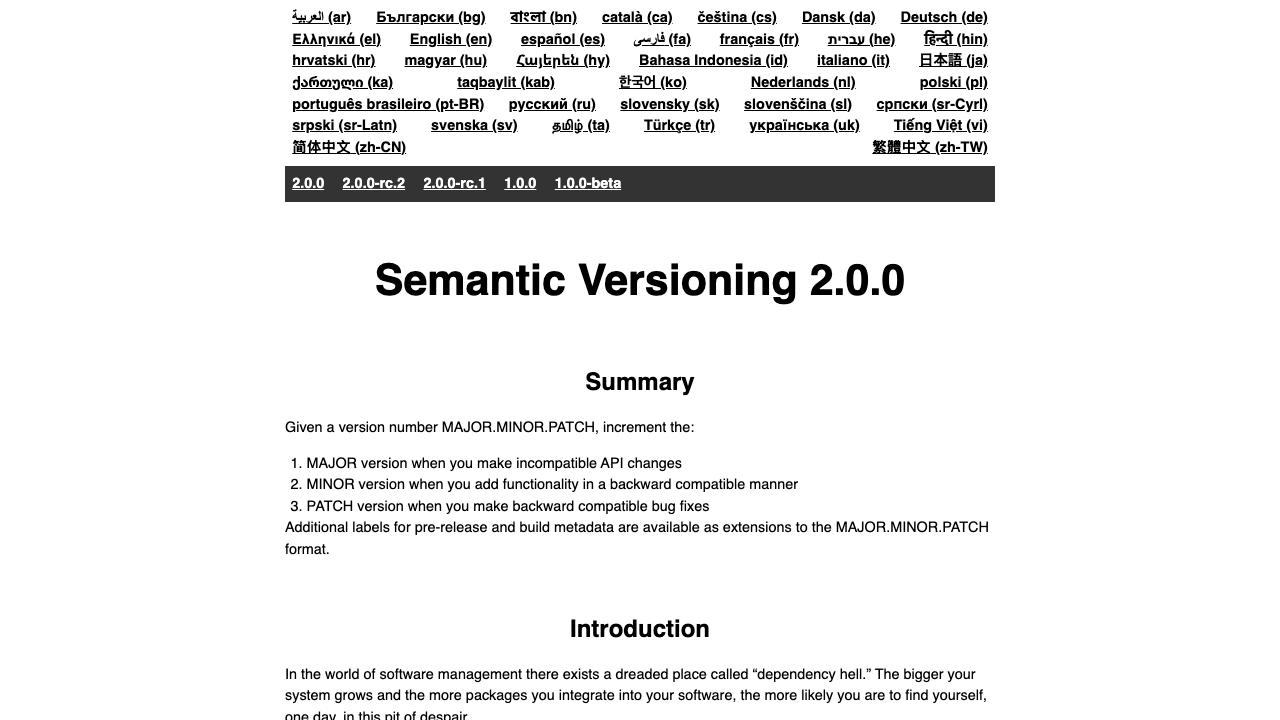
The version number is the first compatibility signal. Release notes must explain that signal and disclose any narrower exception that the number cannot express.
Explain support windows with dates
State the first version that deprecates the behavior, the expected removal version, and a calendar date when possible. “Deprecated soon” leaves the migration schedule open-ended.
If the schedule changes, update the canonical release page and link later notes back to it. Developers need one source they can trust while planning work.
Include rollback limits
If a database migration, state change, or new file format prevents a clean downgrade, say so before the upgrade steps. A rollback instruction that no longer works is worse than no instruction because it creates false confidence.
State what can be reversed, how long the previous version remains supported, and which data needs a backup. These details often matter more than the feature description.
Automate collection, keep judgment human
Release tooling can already collect pull requests, contributors, labels, and links. GitHub's automatically generated release notes can even use .github/release.yml to define categories and exclusions.
Automation saves collection time, but the inventory remains a draft. It cannot reliably combine three pull requests into one user-facing change or spot migration work behind an innocent title.
Build the notes during development
Ask the author of a user-visible change to record:
- The previous and new behavior
- The affected user or environment
- Compatibility and migration impact
- Documentation that must change
- A verification or test result
- Screenshots or examples when behavior is visual
Capture this in the pull request or an Unreleased entry while the details are current. The release editor can organize and simplify the existing context.
Give one editor the full page
Individual engineers can verify their sections, but one person should edit the complete release for hierarchy, duplicate entries, tone, and missing links. Without that pass, the notes read like several teams pasted their sprint summaries together.
Edit from highest risk to lowest risk: breaking changes, security and support changes, fixes, new capability, and minor improvements.
A release-note structure that works
The exact labels can change, but the reading order should remain predictable:
- Release summary: version, date, compatibility, scope, and action.
- Breaking changes: migration, verification, deadline, and rollback.
- Security and support: advisories, runtime requirements, and end-of-support dates.
- Fixes: corrected behavior and affected users.
- New capabilities: what is available and how to try it.
- Known issues: symptoms, workarounds, and tracking links.
- Resources: migration guide, reference changes, assets, and support.
The page should reveal information in layers: decision first, impact second, and implementation detail last. Readers can stop when they have enough evidence.
Final trust check
- Can a developer identify upgrade risk from the first screen?
- Are affected and unaffected users both clear?
- Does every breaking change include an action and verification step?
- Do the version number and compatibility claim agree?
- Does every deadline include a calendar date?
- Are screenshots current and necessary?
- Do migration, advisory, rollback, and reference links work?
- Can someone find the same release again by version?
Trust comes from repeating this disclosure standard every time. One vague release can make the next careful one harder to believe.
Worked example: write the notes for a breaking SDK release
Take the same hypothetical 4.0.0 release used in the changelog example. The changelog records pagination, runtime, webhook retry, validation, and login changes in compact form.
Release notes turn that record into an upgrade plan. They need more context than the changelog, especially around order, verification, and rollback.
Open with the decision
The first screen could read:
SDK 4.0.0 — 30 July 2026

Upgrade effort: Medium
Compatibility: Breaking changes to pagination and Node.js support
Affected: JavaScript SDK users and REST integrations using `page`
Deadline: Version 3 security support ends 30 September 2026
Action: Upgrade to Node.js 20 and migrate list endpoints to cursors
Rollback: Safe until the first v4 cursor is stored; see rollback limits
“Medium” is only useful because the following fields explain it. A standalone effort badge would replace one vague label with another.
Explain the migration in dependency order
Runtime comes before package installation, and package installation comes before code changes. Put the migration steps in that order:
- Confirm that development, CI, and production run Node.js 20 or later.
- Upgrade the SDK in a branch and run the existing integration tests.
- Replace numeric
pageparameters with the returnednext_cursor. - Make webhook handlers idempotent before enabling the new retry behavior.
- Deploy to a test environment and compare pagination results.
- Roll out gradually while monitoring
400and401responses.
The dependency order gives the reader one safe path across several product changes. Team ownership has no place in that sequence.
Show the change where prose is weak
The pagination section should include a focused before-and-after:
- const orders = await client.orders.list({ page: 3, limit: 50 });
+ const orders = await client.orders.list({ cursor, limit: 50 });
+ cursor = orders.nextCursor;
Then explain the behavior prose cannot show:
- Cursors follow creation-time order.
- A cursor is valid for 24 hours.
- Changing filters invalidates the previous cursor.
- The SDK returns
nextCursor: nullon the final page.
The code proves the surface change, while the bullets define the operational constraints. Neither is complete alone.
State the rollback boundary
Suppose version 4 cursors cannot be passed to version 3. The notes should say that rolling back the SDK is safe only before the application persists or exposes a v4 cursor.
A practical rollback block might say:
Keep version 3 deployed in the previous production slot. If error rates rise before v4 cursors are stored, shift traffic back; after that point, disable pagination writes and contact support before downgrading.
An explicit rollback boundary may prompt the engineering team to add a compatibility layer. Finding that risk before release leaves time to reduce it.
Separate known issues from migration work
If the release has a known issue with cursors on empty filtered results, give it a visible section:
Known issue: A filtered list with zero results can return an empty string
for `nextCursor`; the expected value is `null`.

Workaround: Treat both values as the end of the list.
Tracking: SDK-917
Fixed in: Planned for 4.0.1
Give this its own Known issues section. Include a searchable symptom, workaround, tracking reference, and expected resolution.
Finish with verification
The release note should leave the reader with checks they can run:
- CI and production report Node.js 20 or later.
- The application no longer sends a numeric
pageparameter. - A full pagination test returns every record exactly once.
- Duplicate webhook delivery does not create duplicate work.
- Monitoring shows no unexplained increase in
400,401, or429responses.
Verification turns the notes into an upgrade tool. Without it, the page explains the change but leaves success undefined.
A release note can explain the change without deciding where older instructions remain available. The product-version documentation guide covers that URL and support policy.
Release notes FAQ
How long should release notes be?
Use as much space as the upgrade decision requires, then stop. A small patch may need five precise bullets, while a major version may need a summary plus a separate migration guide.
Should release notes include every pull request?
No. Include work that changes user-visible behavior, compatibility, security, supported environments, or documented workflows.
Where should release notes be published?
Publish them at a stable, versioned URL that developers can search and link to. You can mirror a concise version in GitHub Releases or a package registry, but keep one canonical page.
What makes release notes trustworthy?
Consistent disclosure of impact, required action, deadlines, and known limitations. Developers trust notes when past releases helped them upgrade without surprises.
Can AI write release notes from commit history?
AI can cluster changes and produce a first draft, but commit history rarely contains complete user impact or migration context. A person who understands the release must verify compatibility, scope, security wording, and every required action.