On day two, your new engineer is asking which Node version to use, whether Docker is required, and where the test credentials live. The answers are scattered across a Slack thread, the README, and the setup script.
At the end of the week, they have a working machine because someone walked them through the gaps. The guide turns those repeat questions into a path from a clean machine to a first merged change.
Start with the first successful change
So start from a finish line you can actually see. “Learn the codebase” becomes: run the app, change one user-facing string, pass the checks, and open a pull request.
Now the reader has momentum and the team has something concrete to test. Missing permissions, stale commands, and undocumented review rules surface while they are still cheap to fix.
Define what done looks like
State the expected result near the top of the page. A reader should know what they will have running, what they will change, and how they can prove the change worked.
For example:
- Run the API and its database locally.
- Send one authenticated request and receive a
200response. - Make a small change in the starter issue.
- Run the required tests and linters.
- Open a pull request using the team template.
The list turns a vague first week into a route. A manager can see whether the task teaches the workflow the team actually uses.
Put help beside the point of failure
“Ask in Slack if you get stuck” is not support documentation. Name the channel, the owner, the office-hours window, and the information someone should include when asking.
A small help block works well beside difficult steps:
If setup fails: Paste the command, the full error, your operating system, and the output of
tool --versionin#dev-help. The platform engineer on rotation owns setup failures.
Anyone helping now receives enough context to begin diagnosis. The named owner also knows who must repair the document when the same failure appears again.
Give the reader one setup path
Setup pages have a habit of collecting every command that has ever worked for anyone. It looks comprehensive, except now a new engineer has to choose between a bootstrap script, a Docker path, a manual install, and a wiki page from two years ago.
Pick one supported path and call it the default. If someone genuinely needs an alternative, put it in troubleshooting or a platform-specific section.
Name versions and access requirements
“Install Node” is incomplete. Say which version the repository expects, how to install it, and how to verify the installed version.
Do the same for package managers, databases, cloud accounts, VPN access, test credentials, and secrets. If access takes a day to approve, put the request before the command that depends on it.
End every setup stage with proof
A command completing without an error is not always proof that the system works. Give the reader an observable result such as a health endpoint, a passing test, or a page they can load.
Use checks that make failure easy to localize:
Database ready:   docker compose ps
API ready:        curl http://localhost:8080/health
Tests ready:      npm test
Frontend ready:   open http://localhost:3000
The Microsoft Engineering Fundamentals playbook treats setup, team processes, codebase details, and contacts as separate parts of an onboarding guide. Readers can find the needed step without rereading a long narrative.
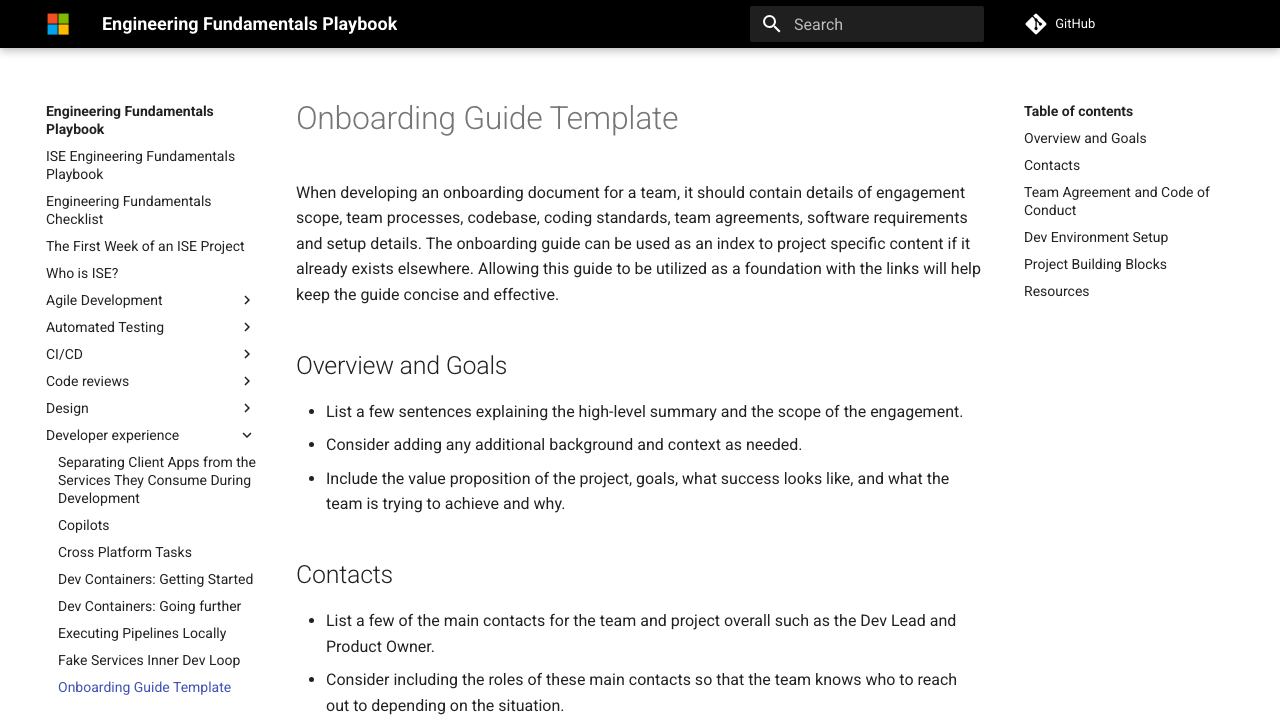
Setup has its own place in the guide. Scope, contacts, and team practices each have their own home too.
Choose a first task that teaches the workflow
The first task needs to matter, but it also needs to be easy to recover from. A documentation fix, a test addition, or a contained UI change works well because it travels through the real review and deployment path.
The task should teach the reader how work moves through the team:
- Find the issue and confirm its acceptance criteria.
- Create a branch using the team convention.
- Make and test the change locally.
- Open a pull request and request the right reviewers.
- Respond to feedback and merge safely.
- Verify the deployed result.
The task teaches more than the codebase. It shows how work is discussed, reviewed, tested, merged, and deployed on this team.
GitLab turns onboarding into tracked work with owners, due dates, and role-specific tasks in its public onboarding handbook. The ownership model is worth borrowing even when the team uses a much shorter checklist.
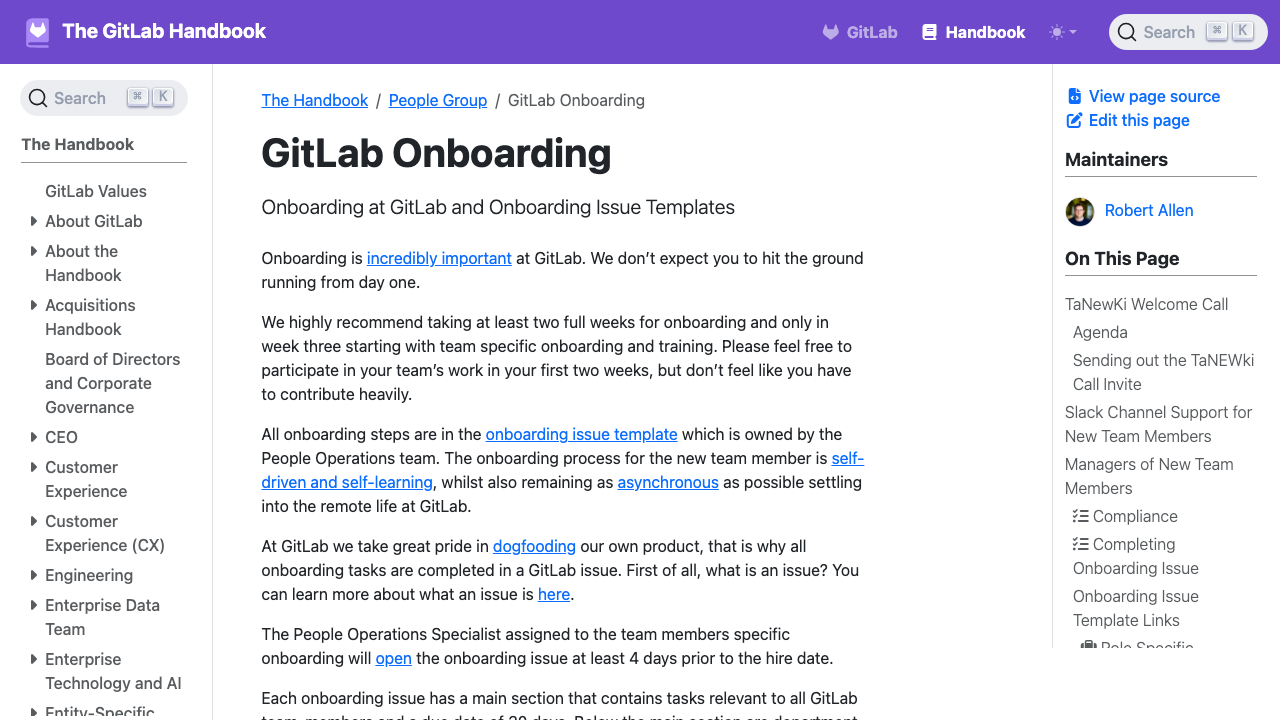
GitLab treats onboarding as assigned work with owners and a defined process. It is more concrete than a folder of optional reading.
Delay architecture until it helps
Of course, new engineers still need a map. They just don’t need every road on the first morning, so begin with the services touched by setup and the first task.
Explain the path of one request
A compact request flow is usually more useful than a giant component diagram:
Browser → API gateway → authentication → orders service → database
For each part, link to the repository, its local run command, and the owner. Add deeper architecture explanations after the reader has something concrete to attach them to.
Record decisions where readers meet them
If a surprising convention affects the first task, explain the reason in one or two lines and link to the decision record. Keep the full history on that deeper page.
The main path stays short without hiding important context. One linked decision record also prevents the explanation from drifting across several documents.
Make recovery part of the instructions
The guide becomes much more valuable when the happy path stops being happy. Add the errors people actually see, the next diagnostic step, and the final fix.
A troubleshooting entry needs four parts:
| Field | What to include |
|---|---|
| Symptom | The exact error or visible behavior |
| Likely cause | The condition that produces it |
| Check | A command or observation that confirms the cause |
| Recovery | The smallest safe action that gets the reader moving |
Avoid “restart everything” unless it is truly the only reliable response. Explain enough of the system for the reader to recognize the same class of failure later.
If two new engineers hit the same undocumented problem, put it in the onboarding path or the linked troubleshooting page.
Keep onboarding docs in the development workflow
And this is usually where an onboarding guide goes stale: nobody owns the commands inside it. Keep it near the code where practical, review it with setup changes, and give every major section an owner.
Microsoft's repository documentation guidance recommends documenting setup, build, test, deployment, and working agreements with the project. GitLab likewise asks contributors to include documentation in the same merge request as the product change in its documentation workflow.
Test it like a product path
Run the full setup from a clean environment on a schedule. A container or fresh virtual machine is useful, but a real new starter will still uncover assumptions that automation misses.
Track where people pause, ask for help, or switch to an unofficial document. Those moments are better evidence than a quarterly request for everyone to “review the wiki.”
Assign ownership by section
The platform team may own local infrastructure while the product team owns the first task and review process. Section-level ownership makes updates smaller and accountability clearer.
Add a visible “last tested” date only if someone is responsible for testing it. A decorative timestamp can create more false confidence than having no date at all.
A practical onboarding page structure
Keep the primary page in this order:
- Outcome: what the reader will have completed.
- Access: accounts, permissions, credentials, and lead times.
- Setup: one supported path with version checks.
- Verification: observable proof that each component works.
- First change: a small task through review and deployment.
- Help: named channels, owners, and escalation steps.
- Troubleshooting: common failures and recovery instructions.
- Next steps: architecture, deeper product knowledge, and role-specific paths.
The sequence matters because each section prepares the reader for the next one. Reference material stays available without blocking the reader's first useful result.
The main page should make this path obvious. Architecture and role-specific reading can branch out after the first successful change.
Worked example: onboard someone to a checkout API
Imagine a team whose onboarding issue says:
Read the architecture overview, clone the repositories, set up the services, and pick a starter ticket from the backlog.
Every instruction is technically reasonable, but the sequence transfers the difficult choices to the new engineer. They must decide which repositories matter, which setup path is current, whether the system is working, and which ticket is safe.
Replace the reading list with a route
A stronger issue could use this structure:
| Stage | Instruction | Evidence that it worked |
|---|---|---|
| Access | Join the checkout-dev group and request the test-vault role |
The test secret is visible in the vault |
| Repository | Clone checkout-api and run mise install |
node --version returns the pinned version |
| Services | Run docker compose up db redis |
Both services report healthy |
| API | Run npm run dev, then call /health |
The response contains the current commit SHA |
| First request | Use the sample token to create a test checkout | The response returns a checkout ID |
| First change | Add validation for an empty customer_reference |
The new test fails before the change and passes after it |
| Review | Open a pull request with the onboarding label | CI passes and the checkout owner reviews it |
| Deploy | Merge and inspect the test environment | The validation error appears in the test API |
The route deliberately teaches the team’s normal tools: version management, local dependencies, test credentials, automated tests, code review, CI, and deployment. The product architecture arrives through the request the engineer has just made.
Add recovery beside the fragile steps
The database and test-vault access are likely failure points, so each deserves a small diagnostic block:
Symptom: docker compose reports checkout-db as unhealthy
Check:   docker compose logs checkout-db --tail=50
Cause:   Port 5432 is already used by a local PostgreSQL service
Fix:     Stop the local service or set CHECKOUT_DB_PORT=5433
Verify:  docker compose ps checkout-db
Avoid a command that kills whichever process owns the port. The diagnostic explains the conflict, exposes the supported alternative, and ends with proof that the database recovered.
Decide what comes after the merge
After the merge, deeper material becomes easier to understand. The engineer now has a working request and a team workflow to connect it to.
The next links can now cover:
- How checkout state moves through the API and worker
- Why idempotency keys are required
- How the team handles payment-provider failures
- Where service-level objectives and dashboards live
- Which changes require a security or compliance review
Those topics have context because the engineer has followed one checkout through the system. The same pages would have felt like compulsory background reading on the first morning.
Audit the route with evidence
After several people use the guide, record where they needed help and how long each stage took. Read those numbers as evidence about the path.
Use the results to find defects:
| Signal | Likely documentation problem |
|---|---|
| Access consumes most of day one | Requests appear too late or ownership is unclear |
| Setup succeeds but the health check fails | A service, secret, or port assumption is missing |
| Starter tasks vary wildly in size | The issue pool has no onboarding criteria |
| Pull requests wait several days | Reviewer ownership is absent from the route |
| Everyone asks the same architecture question | The explanation is missing at the point of need |
“Pages read” tells you little about onboarding quality. Count the avoidable decisions and repeat failures the path removes.
Onboarding is one route inside a wider documentation package. The guide to what technical documentation should include shows which questions belong outside that first path.
Before the route ships, the documentation review checklist catches broken links and rendered failures that onboarding prose alone cannot reveal.
Developer onboarding docs FAQ
How long should developer onboarding documentation be?
As short as the supported path allows. Keep the main sequence focused on the first successful change and link to reference pages for details that only some roles need.
Should onboarding docs live in the repository or an internal wiki?
Put setup and workflow instructions close to the code when engineers must update them with product changes. Company policies and people processes can stay in an internal handbook, with clear links between the two.
What should I measure during onboarding?
Measure time to a working environment, time to a first merged change, repeated help requests, and steps that fail. Use those signals to repair the path.
Who should own developer onboarding docs?
One person should own the complete journey, while subject-matter experts own the sections their systems affect. Without an end-to-end owner, every individual page can look correct while the path between them remains broken.